User Interface
The CCC user interface consists of five :
Ø A sonagram and options window
Ø An window
Ø A list of classified signals
Ø A tree view of the classified signal
code check
Ø A text status window
|

|
The CCC is launched (in manual mode by default) by
selecting the Classifier menu from VHF/UHF-DIR | Analysis | Classifier
Code Check or from VHF/UHF-SUB | Analysis | Classifier Code
Check or by pressing the CCC button when the previously
launched mode or analysis was a VHF/UHF-DIR or VHF/UHF-SUB mode or
analysis. |
|

|
The CCC may be restarted using the Start/Restart
Classifier Code Check button. |
|

|
When the CCC is launched, a label positioned on the
left-hand side of the uppermost status bar indicates the level of
processing selected. |
|

|
The uppermost status bar will show the current status
of the CCC. |
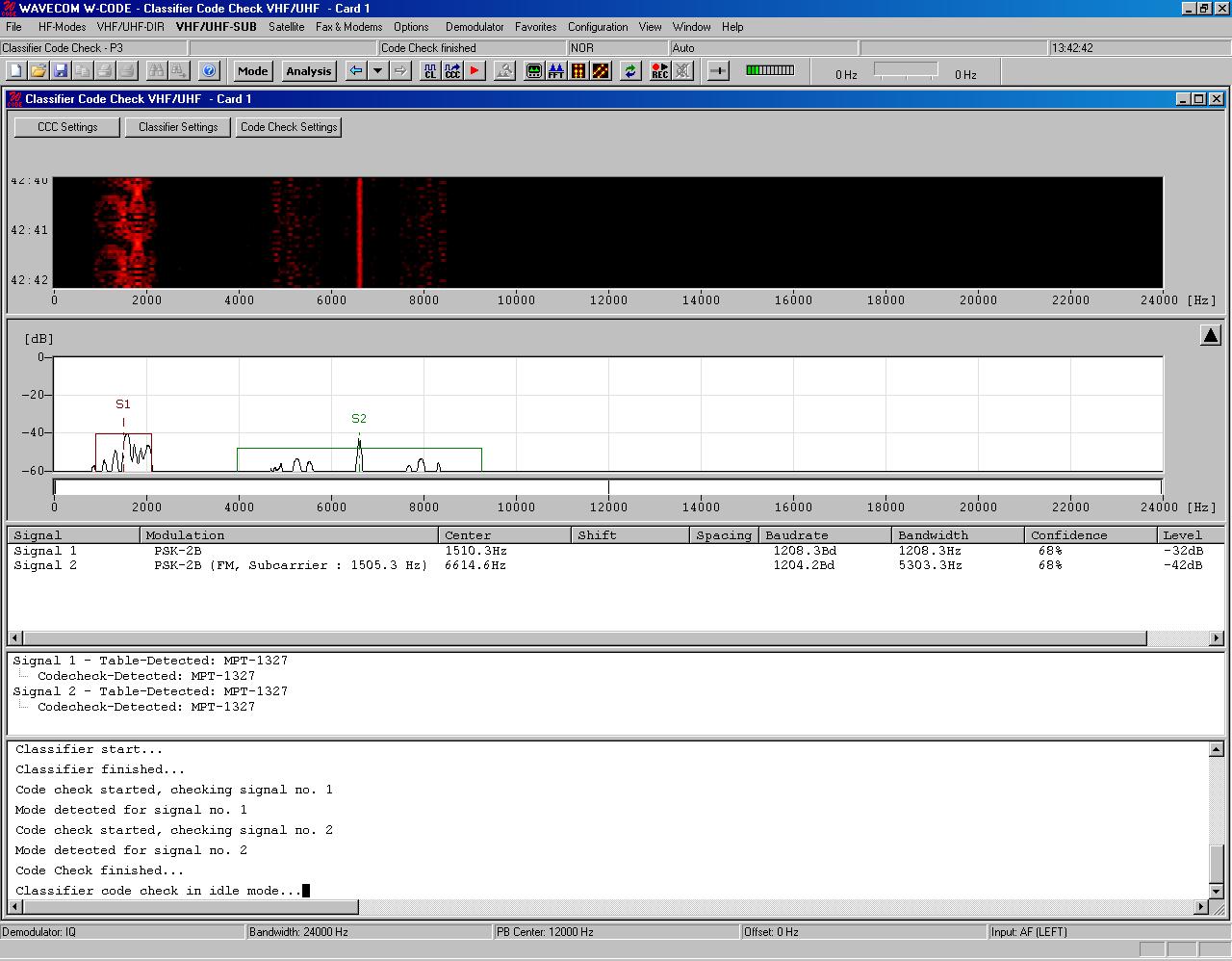
Sonagram Window and Settings Dialogues
For details on the sonagram window refer to the section on Sonagram.
When the CCC is launched from the VHF/UHF-DIR menu, the
frequency range displayed in the sonagram window spans the selected
classification bandwidth around the currently set translation frequency. When
the CCC is launched from the VHF/UHF-SUB menu (as is the case in the above
figure), the frequency range displayed in the sonagram window spans the selected
classification bandwidth starting from the currently set translation
frequency.
The upper left-hand side of the sonagram window contains the
buttons for the three setting dialogues, which determine the behavior of the
CCC.