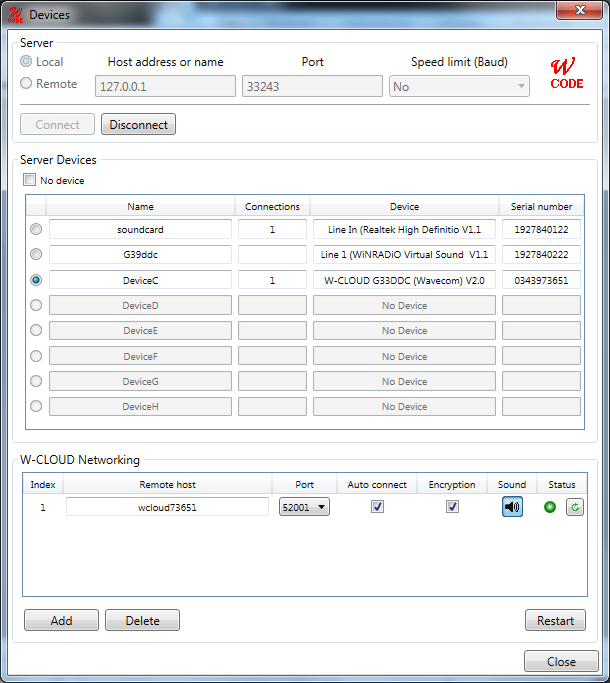
The first time the decoder application is started with the decoder card installed, the location of the decoder devices must be set.
In the example above, the W-CODE software is looking for devices in a local computer and remote W-CLOUD devices as defined in the “W-CLOUD Networking” section. The process should only take a few seconds.
A Virtual Audio Cable and a soundcard are detected on the local computer. The entry shows the type of product found as well as the serial number (generated from part of the active MAC address of the computer network interface and a counter).
Important: If you see Error in the device field, there is a problem with the soundcard driver or hardware. Try to reinstall the correct driver.
Windows Vista or Windows 7: Sound card inputs are only detected when a cable or microphone is plugged in. If you connect a cable, restart the WAVECOM server, otherwise the devices will not be listed in the WAVECOM software.
Each device is identified by a unique serial number. Thus the application is able to search for devices automatically; this functionality is available for local as well as remote computers - pressing the Connect button will start the process.
The selected entry is stored in the initialization file (*.INI file) for the card or device and no further entry is necessary, when the application is restarted. The settings may be changed at any time.
The system can be used in a network configuration. This allows the system to be remotely controlled.