User Interface
The CCC user interface consists of five :
Ø A sonagram and options window
Ø An window
Ø A list of classified signals
Ø A tree view of the classified signal
code check
Ø A text status window
|

|
The CCC is launched (in manual mode by default) by
selecting the Classifier menu from HF- Modes | Analysis | Classifier
Code Check or by pressing the CCC buttton. |
|

|
The CCC may be restarted using the Start/Restart
Classifier Code Check button. |
|

|
When the CCC is launched, a label positioned on the
left-hand side of the uppermost status bar indicates the level of
processing selected. |
|

|
The uppermost status bar will show the current status
of the CCC. |
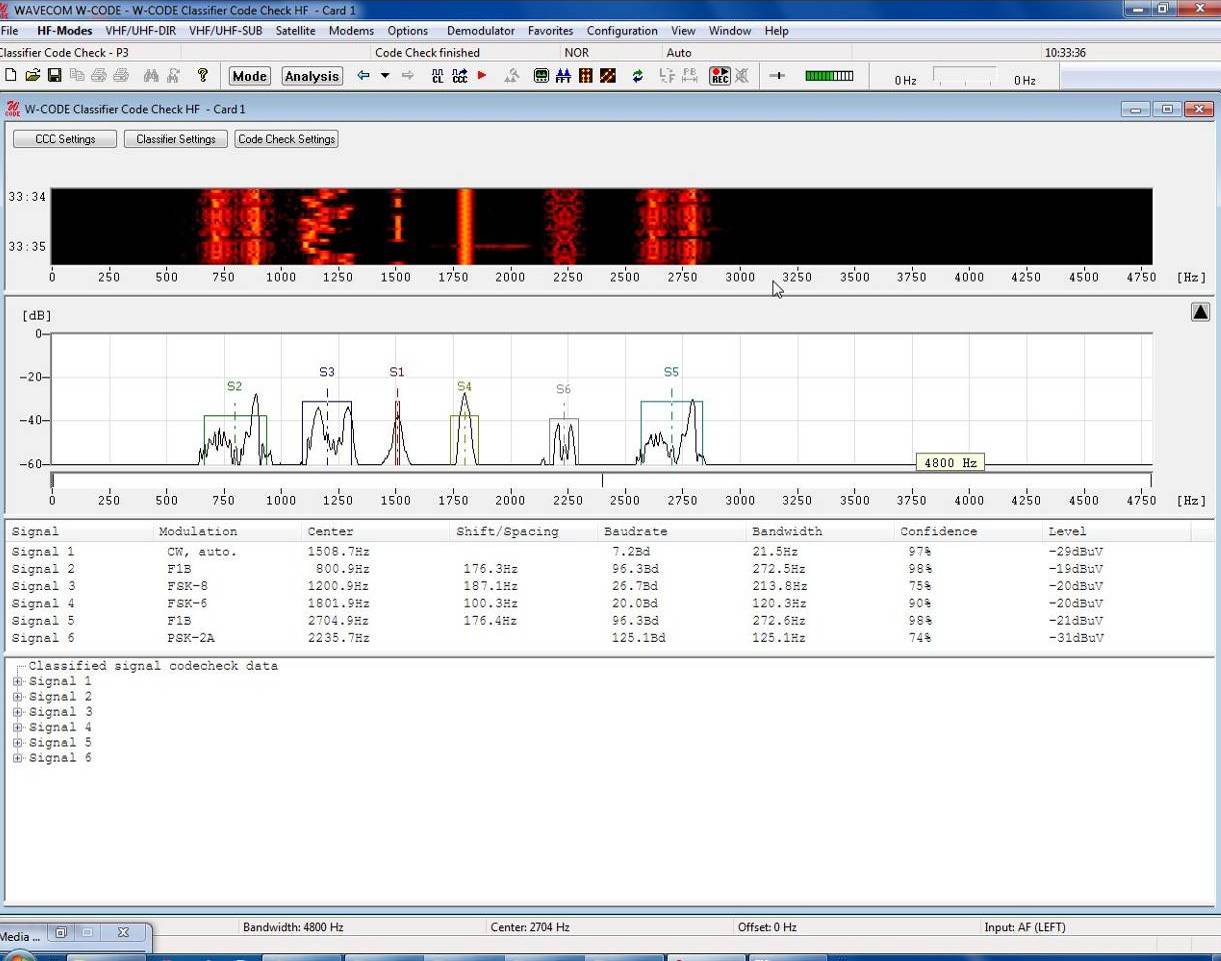
Sonagram Window and Settings Dialogues
For details on the sonagram window refer to the section on Sonagram.
The upper left-hand side of the sonagram window contains the
buttons for the three setting dialogues, which determine the behavior of the
CCC.